01
Custom object detection and classification
Models trained to recognise the specific products, components, materials, vehicles, packaging, equipment or conditions you care about — the classes your industry never supplies to a general model.
Classes are defined with you, annotated on your imagery, and validated against your own acceptance criteria.
Engine: custom DNN recognition · classes per project
02
Automated quality inspection
The model returns a verdict per item — class, confidence, pass or flag — against criteria you set. A missing part, a misaligned lid and a crushed corner are all expressed the same way, which is why one inspection station can carry several checks.
Each item keeps its verdict and image, so a flagged item can be reviewed rather than argued about.
Output: per-item verdict · image · alarm or divert
03
Counting and process monitoring
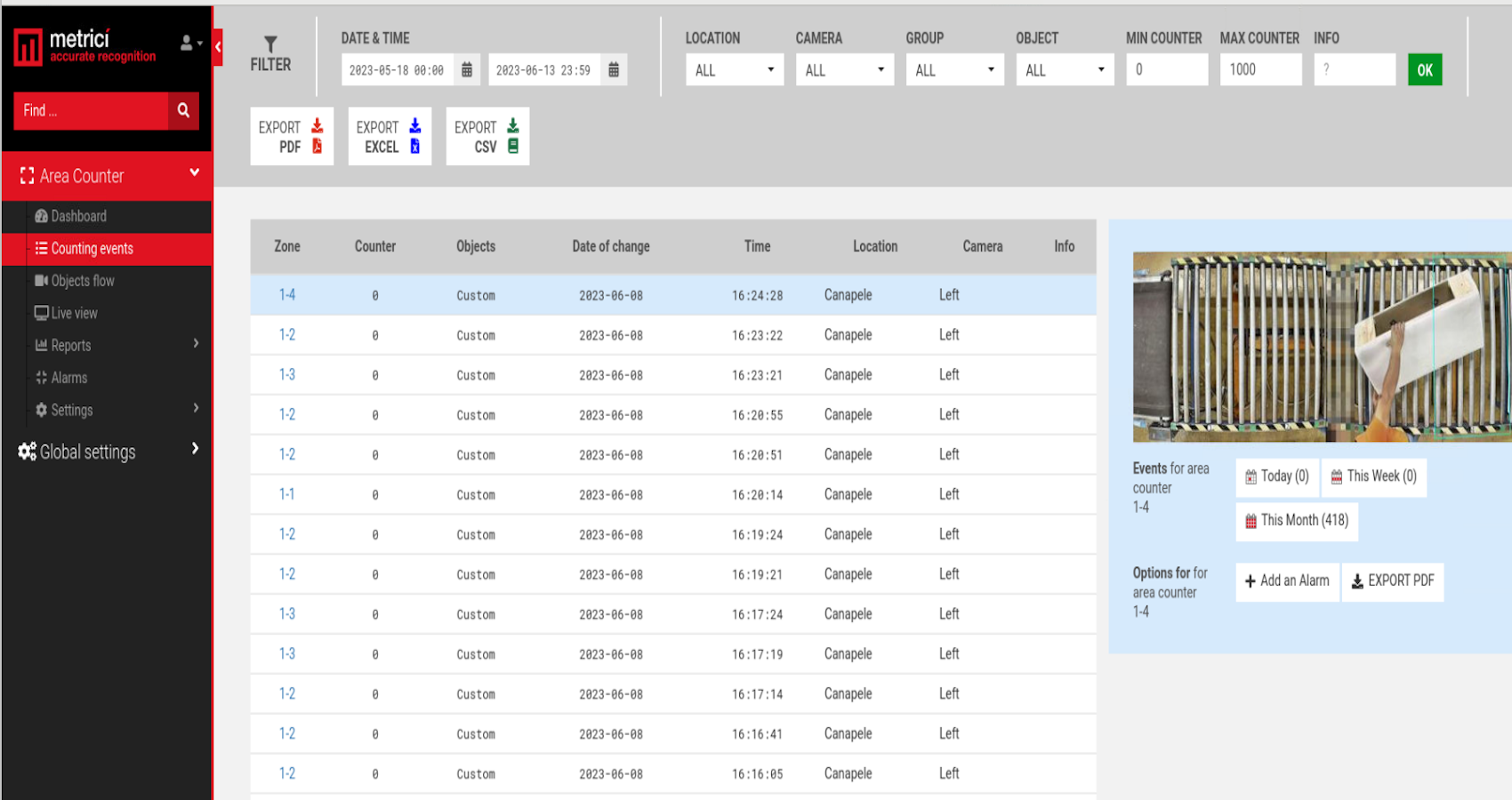
Virtual trip lines and drawn zones turn a camera into a counter and a presence detector: objects counted, areas watched, dwell measured, activity attributed to a camera and a timestamp.
Counts are records with timestamps and images attached, not a live number that disappears at the end of the shift.
Engines: Area Counter · Line Counter · custom counting
04
Safety and compliance monitoring
People and vehicle analytics run against zones and rules you draw: presence, absence, entry, dwell. Whether a specific vest or helmet counts as compliant is a class definition you set, not a default we ship.
This confirms a configured visual condition — it is not a judgement about a person, and it does not identify who that person is.
Output: real-time alert · image · event log
05
Visual data extraction and recognition
Supported codes, labels, markings, serials and documents read from the image and associated with the operational record: what was read, on which object, at which position and time.
Reading is bounded by print quality, resolution and angle; feasibility is established on your real samples, not on ideal ones.
Engines: OCR · 2D and barcode reading · code verification
06
Automated alerts and integrations
A detection is only useful once something acts on it. Each project configures what follows a detection — flag, divert, log, notify, drive hardware — and Metrici can execute configured actions automatically, while other workflows can flag events for operator review or approval.
The action is configured, not invented at runtime: what happens after a detection is a rule you set and can audit.
Rules: configured per project · logged · auditable
What decides the scope
The exact capabilities are defined by the project, the visual data available, the operating environment and the integration required. Four questions settle most of the scope before anyone writes a line of code: what must be detected, from what camera position and image quality, how fast the answer has to arrive, and what has to happen once it does.
Where a requirement cannot be met from a usable camera position, or the images cannot carry the information needed, Metrici says so at assessment stage — before a licence or a server is bought.
Indicative comparison for planning. Which column you land in depends on whether the classes exist, whether your data can support training, and what the result has to do.
| Question |
Standard Metrici module |
Standard module + custom training |
Fully custom development |
| What is recognised | Plates, people, vehicles, places, codes | Your objects, as additional classes | Whatever the agreed classes are |
|---|
| Work before go-live | Configure per position | Configure, annotate, train, validate | Define, annotate, train, validate, build outputs |
|---|
| Typical trigger for the enquiry | “We want this measured” | “It must also see our part” | “No product sees it at all” |
|---|
| Integration depth | Metrici interface, displays, controllers | Same, plus event export | Same plus bespoke software, APIs, machine signals |
|---|
| Cost and time shape | Lowest — no development phase | Development phase, then deployment | Development phase per subsystem, then deployment |
|---|
← Swipe the table sideways →
If a standard module answers the requirement, Metrici will point you at that instead. Several of the custom projects further down this page later became standard modules — that is the normal direction of travel, not the goal.